Picture a learner who finishes a compliance course in your LMS on Monday, practices the same skill in a simulation on Wednesday, and shadows a colleague on the job on Friday. Your LMS saw one of those three things. The other two happened, but they left no trace in your training records.
That gap is exactly what a learning record store and the xAPI standard are built to close. This guide explains what an LRS is, how xAPI statements work, how an LRS differs from an LMS, and how to tell whether you need one. We'll finish with how BrainCert connects to an LRS.
What Is a Learning Record Store (LRS)?
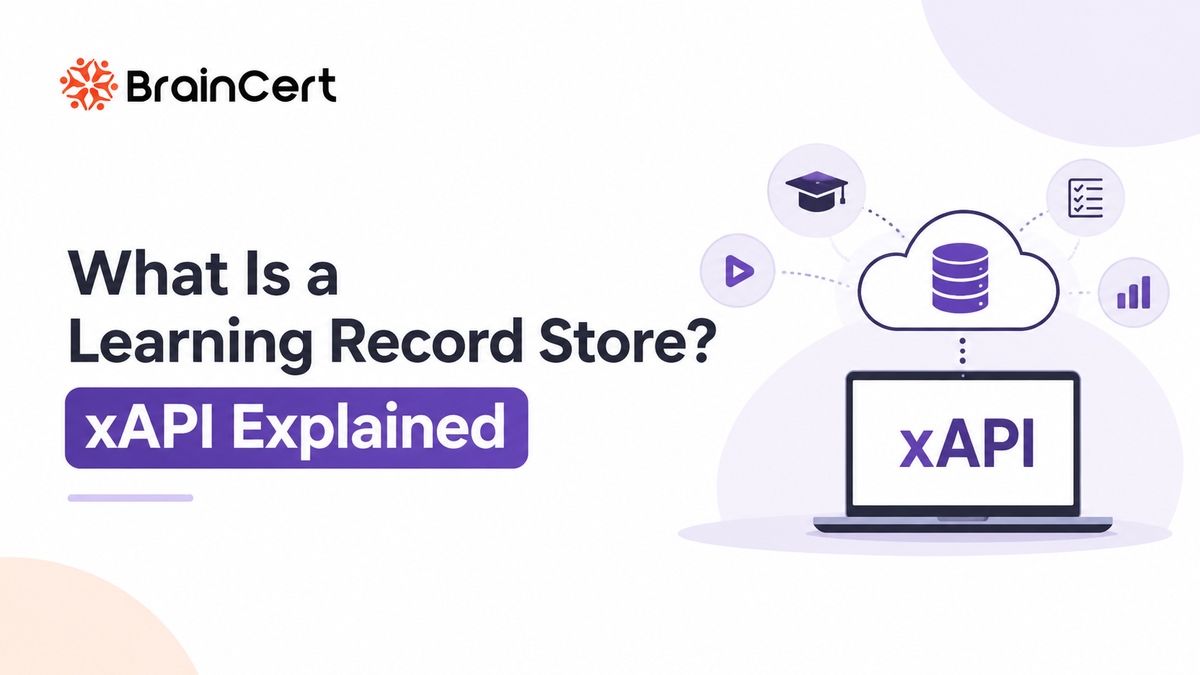
A learning record store (LRS) is a system that receives, stores, and serves up records of learning experiences. In the language of the xAPI specification, it's the server that takes in learning records and gives authorized tools access to them.
Think of it as a logbook for learning. Anything that can write an entry, such as an LMS, a mobile app, a simulation, or a webinar tool, can record what a learner did. The LRS keeps all those entries in one place and in one consistent format.
An LRS can be a standalone product, or it can be built into an LMS. Either way, the core job is the same: store learning records and make them retrievable. Many LRS products add dashboards and reports on top, but that part isn't required by the standard.
What Is xAPI?
xAPI, short for Experience API, is the specification that defines what those records look like and how they travel to the LRS. You'll also see it called Tin Can API. The name comes from Project Tin Can, the research effort that led to it, and the two names are used interchangeably.
The building block is the statement, which follows a simple pattern: actor, verb, object. In plain terms, who did what to what. “Maria completed Fire Safety, Module 3” is a statement. A statement can also carry optional detail, such as a result (a score, pass or fail, time spent) and context (the course it belonged to, for example).
Here is a simplified version of that statement as the LRS would receive it:
{
  "actor": {
    "name": "Maria Lopez",
    "mbox": "mailto:maria@example.com"
  },
  "verb": {
    "id": "http://adlnet.gov/expapi/verbs/completed",
    "display": { "en-US": "completed" }
  },
  "object": {
    "id": "https://example.com/courses/fire-safety/module-3",
    "definition": { "name": { "en-US": "Fire Safety, Module 3" } }
  },
  "result": {
    "score": { "scaled": 0.92 },
    "completion": true
  }
}
Statements are sent as JSON through a standard web (REST) interface, which is why almost any app can send them. They're also designed to be permanent once stored, so corrections get recorded rather than quietly rewritten. That's a big part of why the data can be trusted.
A little history helps here. xAPI 1.0 arrived in April 2013, developed under ADL, the US Department of Defense learning initiative that also stewards SCORM. In October 2023, the IEEE published the specification as IEEE 9274.1.1-2023, commonly called xAPI 2.0.
How an LRS and xAPI Work Together
How Learning Data Flows Through an LRS
From learner activities to actionable insights, follow how learning records are created, stored, and analyzed.
A Learner Completes an Activity
A learner finishes a lesson, passes a quiz, or attends a workshop. Each activity creates a learning event worth recording.
The Provider Creates a Statement
The system where the activity occurred, called a learning record provider, creates a structured statement describing what the learner did.
The Statement Is Sent Securely
The provider sends the statement to the Learning Record Store (LRS) through a secure web request, typically using an API.
The LRS Stores the Learning Records
The LRS stores the incoming statement alongside records from other learning platforms, applications, and experiences, creating a centralized collection of learning data.
Analytics Tools Turn Data Into Insights
Dashboards, reports, and analytics applications, known as learning record consumers, retrieve the stored data to track progress, measure performance, and identify learning trends.
The Big Picture
Learner Activity → Provider → Secure Transfer → LRS → Analytics
The LRS sits in the middle. Many systems write to it, and many tools can read from it.
LRS vs LMS: What's the Difference?
They're easy to confuse, because an LMS often records learning data too. The difference is in the job each one is built for.
LMS vs. LRS
Understand the differences between a Learning Management System and a Learning Record Store.
| COMPARISON |
🎓 LMS
Learning Management System
|
🗄️ LRS
Learning Record Store
|
|---|---|---|
| ⚙️ Main Job | Delivers and manages learning, including courses, enrollments, assignments, and certificates. | Collects and stores learning records from multiple sources. |
| 🌐 Where Learning Is Tracked | Mostly learning activities that happen inside the platform. | Activities from any system that can send xAPI statements. |
| 🧩 Data Format | Depends on content standards, such as SCORM, and the platform's own records. | xAPI statements containing an actor, verb, and object, with optional result and context. |
| 📊 Reporting | Built-in course and learner reports. | Reporting varies by product. The xAPI standard covers storing and retrieving records, not reporting itself. |
| 🔌 Can It Stand Alone? | ✓ Yes |
✓ Yes, or integrated
Can operate independently or be built into an LMS.
|
An LMS manages and delivers learning, while an LRS collects and stores learning activity records from different sources. They can work together to provide a more complete picture of learner progress.
They aren't rivals. In most setups, the LMS delivers the learning and sends statements to the LRS, which holds the broader record.
Where xAPI Fits Alongside SCORM and cmi5
If you already run SCORM courses, xAPI doesn't replace them overnight. They solve slightly different problems:
- SCORM was built for content launched from an LMS, usually in a browser. It reports things like completion, score, and time back to that LMS.
- xAPI isn't tied to a content package or a browser. Anything that can send a statement can report, including games, simulations, and mobile apps.
- cmi5 builds on xAPI to give LMS-launched courses a more predictable structure for tracking, so it works as a bridge between the two worlds.
Many organizations use more than one of these at the same time.
What Can You Do With an LRS?
The practical value comes from seeing learning that never reached your course reports:
- Track beyond the browser. Record activity from simulations, games, and mobile apps, not only from course pages.
- Follow learning across devices. A learner who starts on a phone and finishes on a laptop shows up as one learner with one history.
- Capture team and on-the-job learning. Workshops, coaching sessions, and practice activities can be recorded with the same statement format.
- Build a fuller learner record. With everything in one store, you can ask better questions about what learners actually did.
- Keep your data portable. Statements follow a common format, so other xAPI-conformant tools can read them.
Do You Need an LRS?
Not always, and it's worth being honest about that.
You can probably wait if:
- Your training is mostly SCORM courses delivered inside one LMS
- Your LMS reports already answer the questions you're asking
It's worth a closer look if:
- Learning happens in several tools, and you want one combined record
- You use simulations, apps, or in-person training that your LMS can't track
- Your analytics team wants raw, standards-based data to work with
- You want learning data that isn't locked to a single platform
Using xAPI and an LRS With BrainCert
BrainCert LMS can send xAPI statements for learner activity to an external LRS, so your learning data lands in the analytics tool your team already uses. BrainCert's Help Center has step-by-step guides for three options: Veracity Learning, Watershed, and SCORM Cloud.
The setup follows the same basic pattern each time:
- Create or open your LRS and get its connection details, which typically include an endpoint plus a key and secret.
- Enable the LRS connection in your BrainCert account and add those details.
- Do something in the platform, such as signing in, and check that the statement appears in your LRS.
In BrainCert's walkthrough, sign-in actions show up in the LRS and in the Activity Stream on the BrainCert dashboard, which makes for a quick check that the connection works. To see how xAPI relates to the other formats BrainCert handles, the Help Center also explains SCORM, cmi5, AICC, and xAPI.

Frequently Asked Questions
What does LRS stand for? Learning Record Store.
Is xAPI the same as Tin Can API? Yes. Tin Can API is the earlier name, taken from Project Tin Can, and it's still used interchangeably with Experience API.
Do I need an LRS to use xAPI? Yes. xAPI statements need somewhere to go, and that place is an LRS, whether it's standalone or part of an LMS.
Is xAPI replacing SCORM? Not overnight. SCORM is still widely used, and cmi5 shows the two can work together.
What's the current version of xAPI? IEEE 9274.1.1-2023, also called xAPI 2.0, was published in October 2023.
To Conclude
xAPI gives learning a common language, and an LRS is where those sentences are kept. If your training lives in more than one place, or you want to understand what learners do beyond the course, an LRS is worth a look. If everything you run is SCORM inside one LMS, you can start simple and add one later. Either way, knowing the difference helps you ask better questions when you compare tools.