

You’ve created a great course. Now comes the big question: how do you actually sell it online?
Should you invest time and money into building a full website with multiple pages, blogs, and menus? Or can a simple landing page do the job of capturing leads and turning visitors into students?
It’s a common dilemma for course creators and training businesses, and the answer isn’t always one-size-fits-all.
In this blog, we’ll break down the key differences between a website and a landing page, explore when to use each, and help you decide which option will set you up for course-selling success.
What Is a Website?
Think of a website as your digital headquarters. It’s more than just a page; it’s a complete online presence with multiple sections like Home, About, Blog, Contact, and of course, your Courses page.
For course creators, having a website isn’t just about looking professional; it’s about building long-term credibility and visibility. In fact, research shows that 75% of users judge a business’s credibility based on its website design (Stanford Web Credibility Project). That means your website can be the difference between a learner trusting your expertise or bouncing to a competitor.
Websites also shine when it comes to SEO (Search Engine Optimization). By publishing blog posts, resources, and course-related articles, you can attract organic traffic from Google.
So, if you’re thinking about scaling into a full academy, coaching practice, or training company, a website gives you the foundation to:
- Build brand authority with rich content.
- Optimize for SEO to capture ongoing traffic.
- Provide multiple touchpoints (testimonials, pricing, contact forms).
- Support learners with resources beyond the course itself.
A website is your always-on digital storefront, ideal if you’re serious about growing beyond just one course and want to establish yourself as a trusted education brand.
What Is a Landing Page?
If a website is like a digital campus with many rooms to explore, then
a landing page is like a single lecture hall, designed for one specific purpose: to get your audience to take action.
A landing page is a standalone page built with a razor-sharp focus. Unlike a website, which has menus, multiple pages, and plenty of information, a landing page cuts through the noise and directs visitors toward one clear goal, whether that’s signing up for your course, joining your email list, or enrolling in a workshop.
The Power of Focus
Why does this matter? Because too many choices can overwhelm potential students.
According to Hick’s Law in psychology, the more options people have, the longer they take to decide, and sometimes they don’t decide at all.
A landing page removes distractions like navigation menus, unrelated content, or external links, so your visitor’s attention is focused entirely on your course offer.
What Makes a Great Landing Page?
A high-converting landing page usually includes a few key elements:
- Compelling headline – grabs attention and communicates the value of your course instantly.
- Clear benefits – explains what learners will gain, not just what the course covers.
- Social proof – testimonials, success stories, or ratings from past learners to build trust.
- Strong call-to-action (CTA) – a bold button or form inviting visitors to “Enroll Now,” “Sign Up,” or “Start Learning.”
In fact, studies show that landing pages with a single CTA convert 202% better than those with multiple calls-to-action (WordStream).
Why Landing Pages Work So Well for Course Sales
Landing pages are especially powerful for course creators and training businesses because they are:
- Conversion-focused: Every design choice points to one outcome, more enrollments or sign-ups.
- Perfect for promotions: Ideal for launching a single course, selling a bundle, or running a limited-time workshop.
- Quick to launch: Tools like BrainCert make it easy to build and publish a landing page in minutes without coding.
- Ideal for testing demand: If you’re experimenting with a new course idea, a landing page is the fastest way to validate interest without building an entire website.
Imagine you’re about to launch a “Public Speaking for Beginners” course. Instead of creating a full website, you design a landing page with:
- A bold headline: “Overcome Stage Fear in Just 30 Days”
- A video testimonial from a past student
- A breakdown of course benefits
- A single CTA: “Enroll Today for $49”
Visitors have no other navigation options, no distractions, and no confusing choices, just a direct path from interest → decision → enrollment.
That’s the magic of a landing page.
If your goal is to sell one course, capture leads quickly, or test a new idea, a landing page is your best friend.
It’s focused, fast, and built to convert.
And the best part? With BrainCert’s drag-and-drop landing page builder, you can create professional, high-converting pages right inside your LMS, without any third-party tools.
Landing Page vs. Website: Key Differences
When it comes to selling courses online, the choice between building a website or launching a landing page often comes down to clarity of purpose. Both tools are powerful, but they serve different roles in your marketing strategy. Let’s break it down in detail:
| Feature | Website | Landing Page |
|---|---|---|
| Purpose | Multi-purpose hub for your brand: attract traffic, showcase expertise, nurture leads, and sell | Single, laser-focused goal: drive conversions (sign-ups, enrollments, downloads) |
| Content | Multi-page (Home, About, Blog, Courses, Contact, etc.) with diverse info and resources | One-page layout with headline, offer, benefits, testimonials, and CTA |
| Best For | Long-term growth, building SEO authority, and credibility as an academy or coaching brand | Selling a single course, bundle, or running a promotion/lead capture campaign |
| Speed to Launch | Slower: requires design, navigation, SEO setup, and content-heavy planning | Faster: can be launched in hours with simple drag-and-drop setup |
| Focus | Broad focus across multiple goals: branding, content, sales, engagement | Narrow focus: one clear CTA with no distractions |
| Scalability | Grows with your business: supports blog, integrations, advanced marketing, and SEO | Limited scalability: effective for specific campaigns but not a full brand hub |
| Conversion Rates | Lower (multiple CTAs and navigation can split attention) | Higher (single CTA pages can boost conversions by 200%+) |
| User Experience | Provides depth and context for long-term learners | Creates urgency and simplicity for quick decision-making |
Which One Do You Need to Sell Your Courses?
If you’ve made it this far, you’re probably asking the golden question:
“Do I need just a landing page, or should I invest in a full website to sell my courses?”
The answer depends on where you are in your teaching business journey. Let’s break it down.
If You’re Just Starting Out: Go with a Landing Page
When you’re launching your very first course, your main goal is to test demand and start selling quickly. A landing page gives you:
- Speed → You can build and publish one in a single afternoon.
- Affordability → No need to spend weeks (or thousands of dollars) on web design.
- Focus → With one clear Call-to-Action (like “Enroll Now” or “Sign Up”), you reduce distractions and increase conversions.
- Proof of Concept → Perfect for validating your course idea before committing to a full-fledged brand presence.
Example: Imagine you’re launching a short “Photography Basics” workshop. Instead of setting up a 10-page site, you launch a landing page with your course details, testimonials, and an enrollment button. Done, you’re live and selling.
If You’re Scaling into an Academy: Build a Website
Once your courses start gaining traction, you’ll need a longer-term growth strategy. That’s where a full website comes in:
- Multi-Course Offering → Easily organize multiple courses, bundles, or membership options.
- SEO Power → Blogs, resources, and optimized pages help you show up on Google, attracting organic traffic.
- Credibility & Branding → A professional site builds trust with learners, partners, and even institutions.
- Community Building → Add forums, testimonials, case studies, or even a knowledge hub to nurture relationships.
The Smartest Approach: Start Small, Grow Big
Here’s the truth: you don’t have to choose one forever. Many successful course creators follow this simple roadmap:
- Start with a Landing Page → Capture leads and validate your course idea.
- Use Built-in Tools → Run email campaigns, automation, and promotions from your LMS or marketing platform.
- Expand into a Website → Once you’re generating consistent enrollments, invest in a full site to scale your brand, improve SEO, and offer multiple courses.
Think of the landing page as your launchpad, and the website as your long-term campus.

How BrainCert Helps
Now that you know the difference between a landing page and a website, the next step is figuring out how to build them without juggling multiple tools. That’s where BrainCert makes it easy. Whether you’re just starting with a simple landing page or preparing to scale into a full training website, BrainCert gives you the flexibility to do both, all inside one platform.
Create Landing Pages Inside Your LMS
No need to buy third-party builders or learn coding. With BrainCert’s built-in Site Builder 3.0, you can:
- Set up landing pages in minutes → Navigate to Sales & Marketing > Website > Landing Pages, pick a template, and start editing.
- Keep it conversion-focused → Add headlines, benefits, testimonials, CTAs, everything you need to capture leads or drive enrollments.
- Capture leads instantly → Drop in forms to collect emails, phone numbers, or any details you want, and connect them with BrainCert’s email automation workflows.
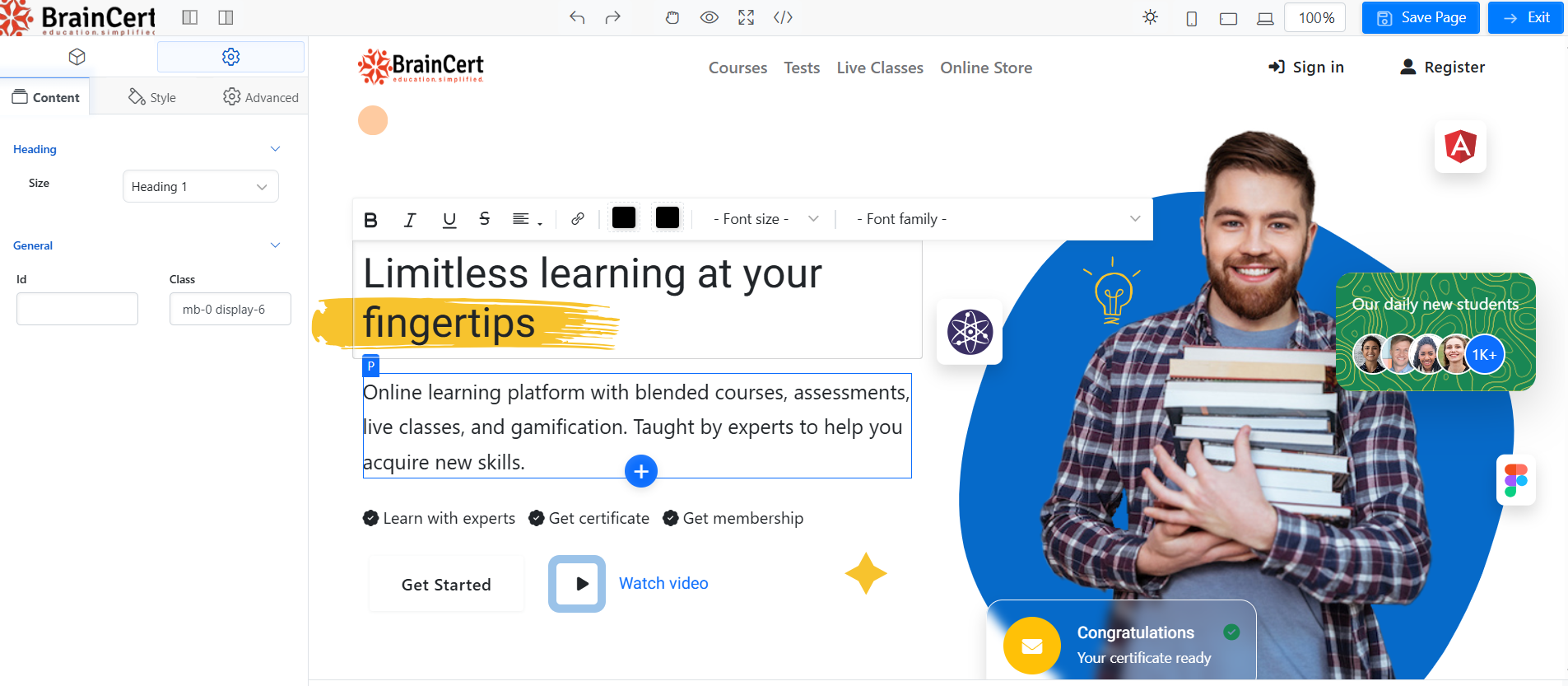
Example: Launching a new course? Create a landing page that highlights the course benefits, adds a testimonial, and has a simple “Enroll Now” button.
Customize Without Limits
BrainCert’s drag-and-drop editor gives you creative control without the technical headaches:
- Add content blocks like About, Blog, FAQs, or pricing sections.
- Drag & drop components such as images, videos, PayPal buttons, or YouTube embeds.
- Style it your way → adjust typography, colors, margins, padding, or even add animations to make your page dynamic.
- AI-powered content generation → Need a catchy headline or compelling course description? Let BrainCert’s AI text tool do the work.
- Dark mode & responsive design → Ensure your page looks sleek across devices.
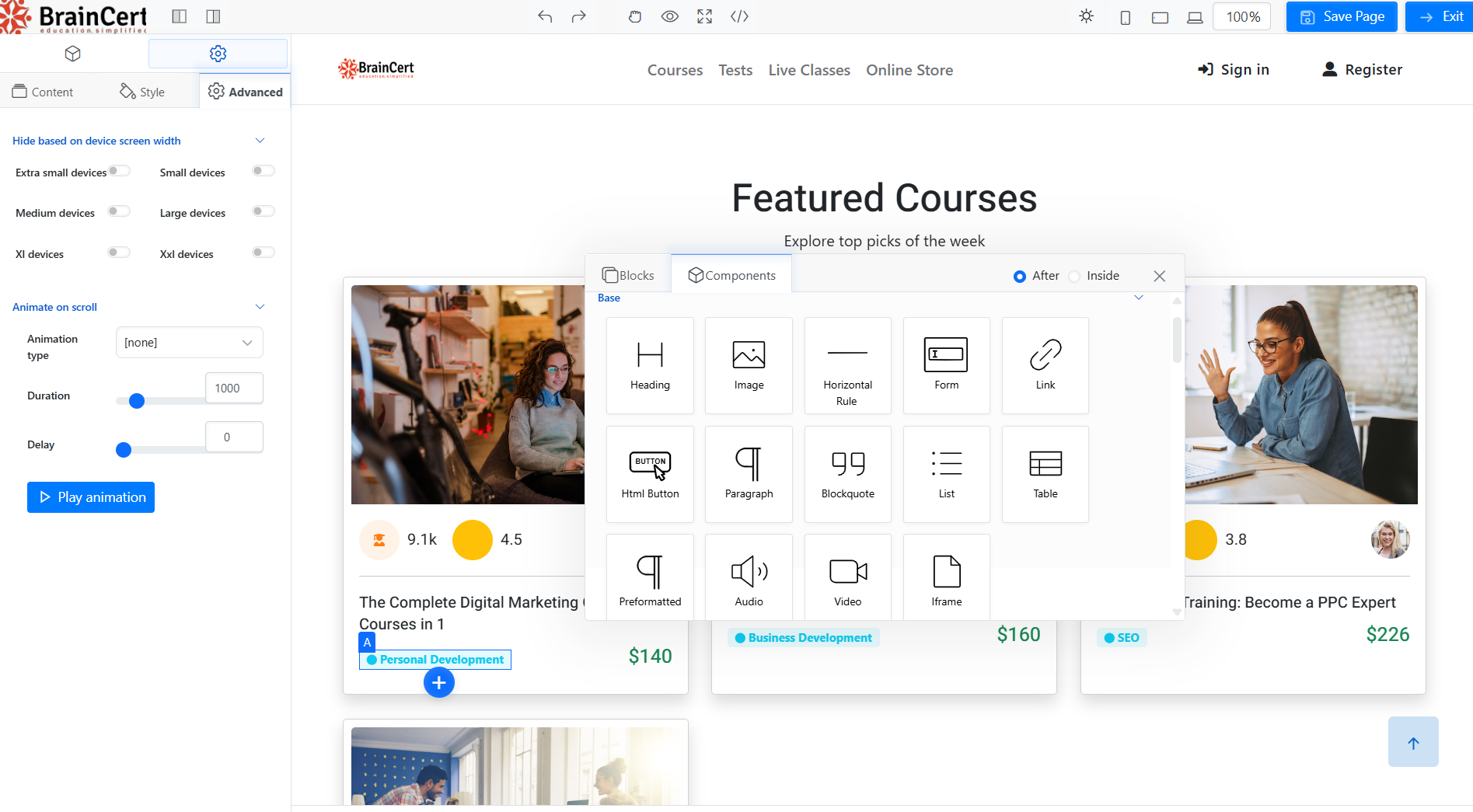
And for advanced users? The Code Editor + Designer Mode allows for HTML customization and full-site editing.
Integrate Seamlessly with Your Website
Do you already have a website? No problem. BrainCert isn’t just a stand-alone solution; it can work alongside your site:
- Embed BrainCert forms directly on your existing website.
- Link BrainCert landing pages in your site’s menu, header, or footer.
- Sync lead data into BrainCert for smooth lead collection + course enrollment.
This means you don’t need to ditch your existing site instead, you enhance it with BrainCert’s LMS features.
Start Simple, Scale with Confidence
The best part? BrainCert grows with you.
- Start with a single landing page to launch your first course.
- Expand to multiple content pages with SEO details, keywords, and structured navigation as your academy grows.
- Preview, edit, and publish easily. Your training brand evolves without needing a developer.
Conclusion
When it comes to selling online courses, there’s no one-size-fits-all solution. Websites are powerful for building long-term credibility, boosting SEO, and showcasing your training brand. Landing pages, on the other hand, cut through the noise and focus on a single goal, driving conversions.
Many successful course creators start lean with a landing page to capture leads and enrollments, then expand into a full website as their academy grows.
Try BrainCert’s drag-and-drop landing page builder today and start turning visitors into learners.
Frequently Asked Questions
Do I need a full website to sell my first course?
No. If you’re validating demand or selling a single offer, a focused landing page is enough to capture leads and drive enrollments. You can always expand into a full website later for SEO, blogging, and multi-course navigation.
When should I choose a landing page over a website?
Choose a landing page when you have one clear goal (e.g., enrollments, lead capture, workshop sign-ups) and want to launch fast. Choose a website when you need multiple pages (About, Blog, Courses, Contact) and long-term brand building.
Can I build landing pages inside BrainCert without coding?
Yes. BrainCert’s Site Builder lets you create landing pages with drag-and-drop blocks, add forms, media, buttons, and even AI-generated copy, no third-party tools required.
How do BrainCert landing pages integrate with my existing website?
You can embed BrainCert forms on your site, link BrainCert pages in your header/footer, and sync captured leads to automations, so your current site and LMS work seamlessly together.
What elements should every course landing page include?
Clear headline and subheadline, benefit-driven copy, curriculum or outcomes, social proof (testimonials/reviews), pricing & guarantees, FAQs, and a single, prominent CTA (e.g., “Enroll Now”).